
Who can set up and manage AI automation for a Phoenix small business?
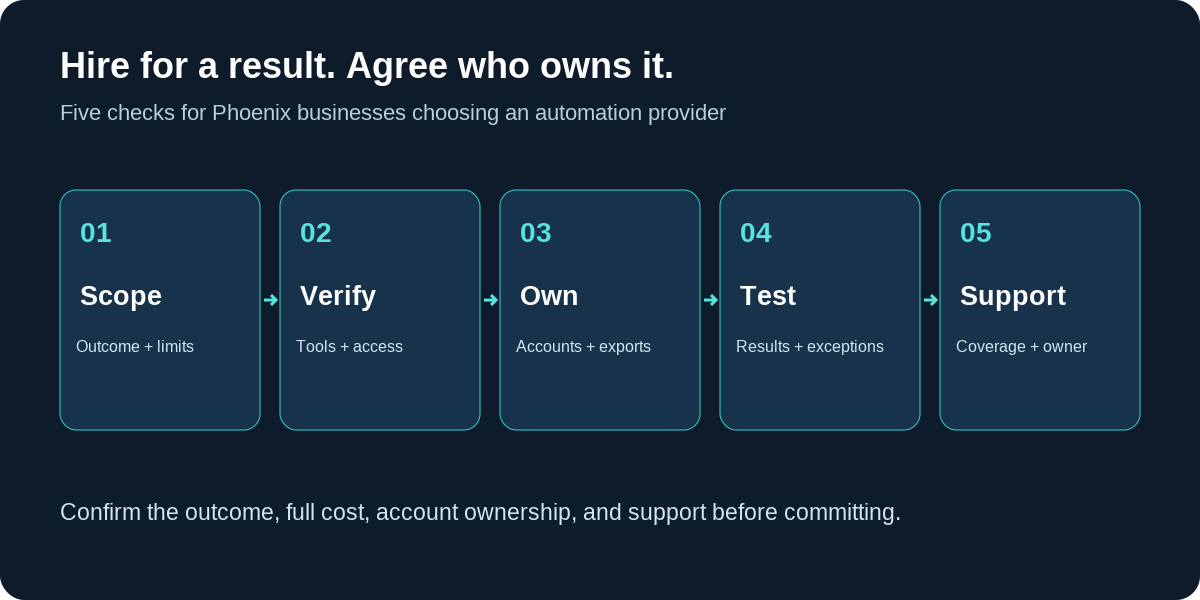
Look for an AI automation provider who can map one business workflow, verify your existing tools, build and test the connections, and take responsibility for agreed monitoring after launch. Before hiring, ask for a written scope, full costs, human approval rules, account ownership terms, and a clear support arrangement.
Managed AI Automation offers remote setup and ongoing management for Phoenix and Arizona businesses. Start with your actual process—such as lead intake, appointment support, or CRM updates—and confirm compatibility, scope, pricing, and availability before committing.
How do you choose AI automation services in Phoenix?
Choose around the work you need done. A provider who demonstrates a working chatbot has not necessarily shown that an inquiry reaches your CRM, gets an owner, and receives the right next action. Ask them to trace the full process using the tools your team already uses.
Your first conversation should establish where information arrives, who handles it today, which decisions require judgment, and what a successful result looks like. If the proposed solution stays vague after that discussion, the scope is not ready for approval.
| Ask about | Evidence to request | Why it matters |
|---|---|---|
| Workflow fit | A written trigger, outcome, owner, and list of exclusions. | You can compare proposals for the same business result. |
| Integrations | Verified access to your CRM, forms, calendar, and required account tiers. | An advertised connector may not cover your particular fields or permissions. |
| Human review | Examples of uncertain requests and restricted actions reaching a person. | Your team keeps control of decisions that need judgment. |
| Ownership | Account ownership, export rights, licensing, and a handover process. | You know what your business retains if you change providers. |
| Ongoing support | Coverage hours, notification routes, response expectations, and maintenance scope. | A workflow has an operating owner after the demonstration ends. |
| Measurement | A baseline and acceptance tests for the promised outcome. | You can judge accuracy, effort, and value after launch. |
Use the implementation deliverables checklist when reviewing a proposal. Compare a narrowly scoped first workflow before considering a broader system.
What should a Phoenix service business automate first?
Start where repetitive work creates a visible delay or inconsistent handoff. The best candidate depends on your volume, current tools, and review requirements. These examples are workflow ideas, not client results or savings promises.
Lead intake and follow-up for service teams
A home-service company receiving inquiries from a website, phone system, and email can begin with a consistent intake process. The workflow can capture the request, identify missing information, create or update the contact, and notify the right team member. Confirm the supported channels and permissions before promising automatic replies.
For a business serving Phoenix and nearby cities, route requests by the territory you actually cover. A customer outside your area should reach an agreed exception path. Urgent messages should follow your escalation rules; automation should not invent an appointment or commitment your team has not approved. See the lead follow-up guide for the underlying process.
Appointment support and CRM updates
A service office can automate collecting appointment preferences, preparing reminders, and recording the next task. Check calendar availability, duplicate events, rescheduling, and staff approval requirements. Ask the provider to demonstrate what happens when no suitable time is available.
For CRM automation, agree on required fields, contact matching, lead ownership, and status changes. A clean-looking summary is useful only if it lands in the right record and supports a clear next action.
Recurring reporting and administrative handoffs
If staff repeatedly collect updates from several tools, a draft summary can be a manageable starting point. Keep the source records accessible and review important figures before relying on them. Fixed rules may be enough for copying known fields; use AI when interpretation or summarization adds value that can be checked.
Do you need an on-site AI automation company in Phoenix?
Not every project requires an office visit. Workflow mapping, integration work, test reviews, and staff walkthroughs may be delivered remotely when access can be arranged appropriately. Physical equipment, on-premises systems, or certain staff-training needs can change that requirement.
Managed AI Automation serves Phoenix through remote delivery. Do not assume an in-person visit is included. Discuss onboarding, system access, staff training, and any on-site dependency before approving the project. The Phoenix AI automation service page explains the local service focus, and the Arizona service hub covers statewide remote availability.
Local relevance should show up in the workflow itself: the areas you serve, your opening hours, routing rules, appointment practices, and the times your team is available to handle exceptions. Ask providers to state support coverage in Phoenix local time so there is no ambiguity about after-hours requests.
How much should you budget for AI automation in Phoenix?
Request a scoped quote rather than assuming every provider sells the same package. Separate discovery and setup from recurring management, software subscriptions, usage charges, and changes after launch. Confirm which tools your business pays for directly and which costs are included in the provider's fee.
Useful quote questions include:
- What workflow and integrations are included in the setup fee?
- Does the estimate include data cleanup, staff onboarding, and acceptance testing?
- What are the expected subscriptions and usage charges at our workload?
- How much approval, correction, and exception handling remains with staff?
- Which repairs, maintenance tasks, and improvements are included after launch?
- What changes would require a separate quote?
Read the managed AI automation cost guide for the cost categories, then use the small-business ROI calculator to test your assumptions. Keep cash savings separate from staff time that becomes available for other work.
What should the provider prove before you approve launch?
Write the acceptance checks before the build. A provider should show both the expected result and the handling of relevant exceptions. For a lead-to-CRM workflow, ask for a normal inquiry, a repeat contact, missing information, an out-of-area request, and a failed connection.
Verify the result in the destination system. Confirm that the correct record, owner, and next action exist. Restricted actions should remain behind human approval. Staff should know how to pause the workflow and complete the task manually when necessary.
Illustrative local workflow
A service company covering Phoenix and selected surrounding cities receives an incomplete request outside business hours. A suitable workflow records the original inquiry, marks the missing information, applies the territory rule, and routes the next action to the designated team. It does not promise an emergency visit, a price, or an appointment without the required authorization.
The acceptance test checks each of those outcomes. It also tests a repeat submission so the customer does not receive unintended duplicate contact. This example illustrates what to ask a provider to demonstrate; it is not a report of a completed customer project.
Who owns and maintains the automation afterward?
Get account ownership and access arrangements in writing. Clarify which accounts, workflow configurations, prompts, custom code, and documents belong to your business; which components are licensed; and what can be exported. Agree how access is removed and pending work is handled if you change providers.
Ongoing management should identify who checks failed runs, expired connections, changes to business rules, and output quality. Confirm how issues are reported and what support is available. If you already have a workflow that is failing or undocumented, discuss repair and provider handover before paying for a replacement.
What should you bring to a Phoenix automation audit?
Bring one process your team can explain, the tools it uses, approximate monthly volume, and a clear description of what gets delayed or missed. Identify the person who can approve access and decide whether the workflow is ready.
Download the Phoenix AI automation hiring checklist and use the same questions for each provider. Redacted examples can help explain the work; do not send passwords, API keys, or unredacted customer information in an initial inquiry.
Explore Managed AI Automation services or request an audit for your Phoenix business. Ask for a specific scope and a practical first workflow, then decide based on verified fit, full cost, and a support arrangement your team understands.
AI automation services in Phoenix FAQs
Who can set up AI automation for a Phoenix small business?
Look for a provider who can verify your tools, define a specific workflow, test real outcomes, and agree who handles monitoring after launch. Managed AI Automation offers remote setup and ongoing management for Phoenix businesses, subject to confirmed scope and compatibility.
Does Managed AI Automation provide on-site service in Phoenix?
The Phoenix service is delivered remotely. Confirm onboarding, training, system access, and any on-site requirements before approving a project; do not assume an office visit is included.
How much do AI automation services in Phoenix cost?
Request a scoped quote that separates setup from subscriptions, usage, ongoing management, and changes. Cost depends on the workflow, integrations, volume, data quality, and support requirements.
Can AI automation connect to my existing CRM and calendar?
It may be possible, depending on the tools, account tiers, permissions, and required actions. Ask the provider to verify the actual connections and fields before confirming scope.
Who owns the automation accounts after launch?
The agreement should state ownership of accounts, data, configurations, and custom code, plus any licensed components and export limits. Confirm the handover process before starting.
What should I automate first in a Phoenix service business?
Consider a repeatable process with visible delays, such as lead intake, follow-up tasks, appointment support, or CRM updates. Choose a workflow whose accuracy, effort, and value can be measured.
Can Arizona businesses outside Phoenix use the service?
Managed AI Automation offers remote service for Arizona businesses. Confirm availability, system compatibility, delivery arrangements, and support coverage for your workflow.
Related guides
Find a practical first workflow for your Phoenix business.
Tell us what gets delayed, which tools your team uses, and what a better outcome would look like. Discuss remote setup and ongoing management with a clear scope.
Request an AI Automation Audit for Your Phoenix BusinessPrefer to call? 623-255-4088